Installing plugins and trust
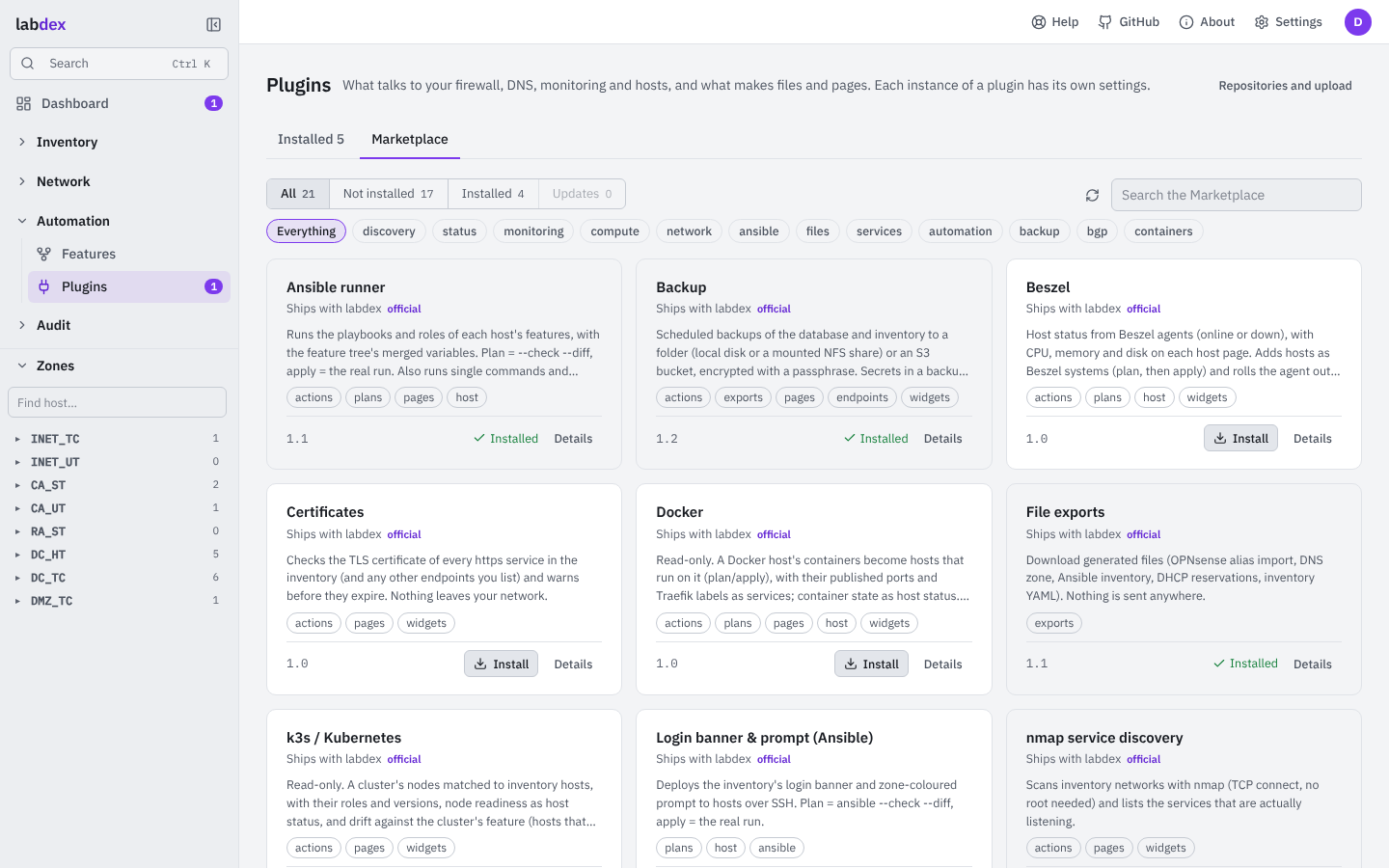
Plugins › Marketplace installs what the official repository and your own repositories offer;
Settings › Plugins uploads a .zip and manages repositories and keys. For a download, labdex
unpacks the archive, validates the manifest, checks the labdex version range and the
signature before any plugin code runs, then shows what you're about to install.
| Trust | Means |
|---|---|
| built in | part of labdex and only updates with it (backups, the demo lab) |
| official | maintained by the labdex project in its own repository, signed with the project key, from the official repository |
| community | signed with the key of a repository you added, or an author key you trust |
| unsigned | no signature: installs only after you tick "I trust its author" |
| invalid | bad signature, unknown key or files changed after signing: never loaded |
Repositories
A repository is a signed index.json next to the plugin archives, on any web server.
Its key signs the index and every plugin in it. When you add one, labdex shows its
name and key id: compare it with the one the publisher gives you. The key is pinned
from then on; a re-signed index or a plugin signed with another key is refused.
The official Marketplace (labdex-plugins) is trusted out of the box. Every official plugin lives in its own git repository; its signed releases are the versions you can install.
Every plugin labdex ships (OPNsense, Technitium, Proxmox, Ansible, Backup, …) is an official plugin: it works from the first start without a download, and a fix for one arrives through the official repository without waiting for a labdex release. An installed update takes the shipped copy's place; removing the update ("Remove update") goes back to the shipped one, and integrations keep running either way. A broken update never replaces a working copy.
Versions
A plugin names the labdex versions it works with (labdex: ">=1.0,<2"). labdex
refuses to install one outside its range, doesn't load an installed one that falls
outside after an upgrade, and the Marketplace marks it as needing another labdex.
A plugin's details in the Marketplace show what's new since the version you have, and every version its repository offers, with its notes: install any of them, newer or older (each goes through the same signature check). Updates go to the newest version that isn't withdrawn and works with your labdex.
- Switch back: after an update the version it replaced is kept, so you can go back to it in one step (and forward again the same way), even offline.
- Stay on a version: a held plugin isn't offered updates and never updates by itself.
- Withdrawn versions: a publisher can withdraw a version (a serious bug, say). If you have it, the Marketplace says so, with the reason, and offers a way off it; updates skip it.
Updates
Settings › Plugins › Updates decides what happens when a repository has something new (labdex looks every six hours, or when you press Check now):
| Setting | Does |
|---|---|
| Tell me (default) | a notification for each new version, once (event plugins.update); nothing is installed |
| Install official updates | updates signed with the labdex project key install by themselves and land in History (plugins.updated, or plugins.update_failed); others are announced |
| Off | no checks, no notifications; the Marketplace still shows updates when you open it |
An installed version that gets withdrawn is announced too (plugins.withdrawn). Route
these events to ntfy, Matrix, email or a webhook under Settings › Notifications.
Isolation
Official and built-in plugins run inside labdex. Community and unsigned plugins run
isolated: every call (an action, a page, a widget) starts a process of its own with an
empty environment, which locks itself with Linux's Landlock before the plugin is loaded.
It can read Python and the plugin's own folder and write to a data folder of its own
(plugin-data/<instance>) and a temporary folder; nothing else. So it can't open
labdex's database, secret.key, other plugins or other integrations' secrets, can't read
labdex's memory and can't signal it. Its Ansible playbooks run inside the same lock, and
secrets from the vault ({$secret: …}) aren't filled in for it.
What it gets is the plugin API: the inventory, its own instance's settings and host settings, state, host status, notifications, discovery records. It can still reach the network, so treat what the inventory holds as visible to it.
The Plugins page shows which plugins run isolated and whether this machine supports
Landlock. Set LABDEX_PLUGIN_SANDBOX=strict to refuse isolated plugins where it doesn't,
or off to run them inside labdex (as before 1.5).
Warning
Install plugins you trust. Isolation limits what a plugin can take; it doesn't make a plugin's own actions (the changes it plans) trustworthy.