labdex
A small inventory for homelabs that treats zones and names as first-class. Describe networks, hosts, interfaces and services once; labdex checks them against your conventions and generates what the rest of the lab needs (firewall aliases, DNS records, an Ansible inventory, DHCP reservations, login banners) and, through plugins, keeps your firewall, DNS server and monitoring in step with it.
Built with AI, for home labs only
labdex was written largely with an AI coding assistant (Claude), directed and reviewed by a human. It has a test suite and was security-reviewed, but it has not had an independent audit and may contain security problems. Run it in a home lab on a trusted network, behind your own access controls; don't expose it to the internet or use it for production or business infrastructure.
It sits between a spreadsheet and NetBox: one container, SQLite (or PostgreSQL), well under 100 MB of RAM, and a YAML file you can keep in git.
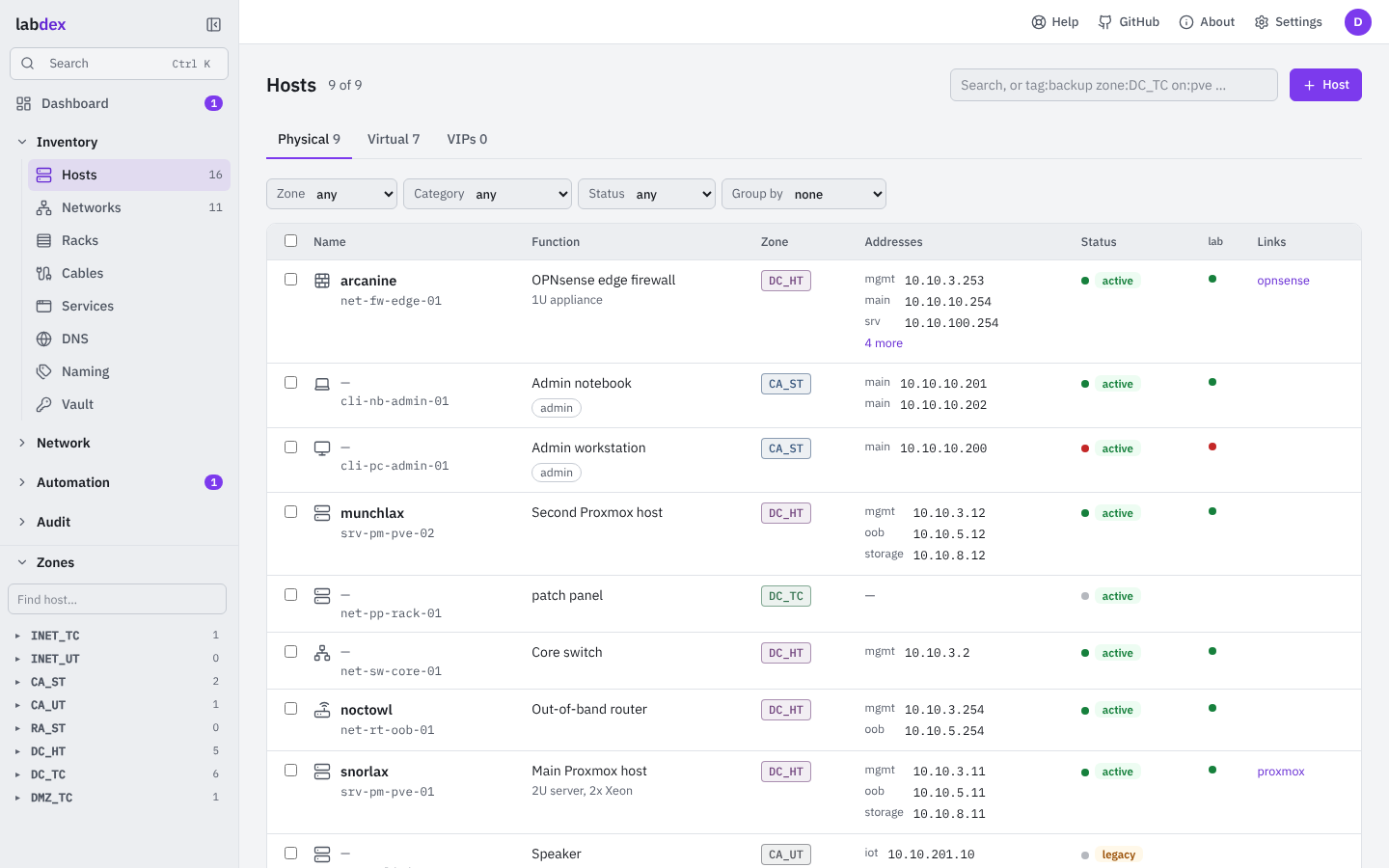
What you get
- Inventory and IPAM: networks with VLANs, IPv4/IPv6 prefixes and DHCP ranges; hosts with interfaces and services; next free address per network.
- Zones
<AREA>_<TRUST>on every network and host, a zone matrix of who may reach whom, and lint that keeps devices out of zones above their trust level. - Naming rules: functional names (
srv-vm-dns-01) plus memorable fun names. - Plans you approve: anything that changes another system (firewall rules and aliases, DNS records, port forwards, Ansible runs) is planned first, shown as a diff, and applied after the approvals your policy asks for, inside change windows.
- Plugins: OPNsense, Technitium DNS, Ansible, nmap, VictoriaMetrics/Prometheus, Beszel, Uptime Kuma, Proxmox VE, k3s, Tailscale/Headscale, UniFi, routing (FRR, IOS-XE), certificates, backups. Write your own in Python or Ansible; install signed ones from repositories.
- Users, roles and history: roles bound to zones, areas, networks or tags; every change recorded with a diff and revertable.
Try it without installing anything in demo mode, or go straight to Install.